
BigQuery Features
Column-based Database
Unlike typical RDBs that store data in row units, when accessing data in a specific column, it scans only the column file you’re looking for without scanning the entire row.
Advantageous for analytical database (OLAP) operations that read only specific columns to count or calculate statistics.
Advantages
- Fast queries with column-level scanning
- Optimized for analytical queries
- Storage efficiency
Data Processing Architecture
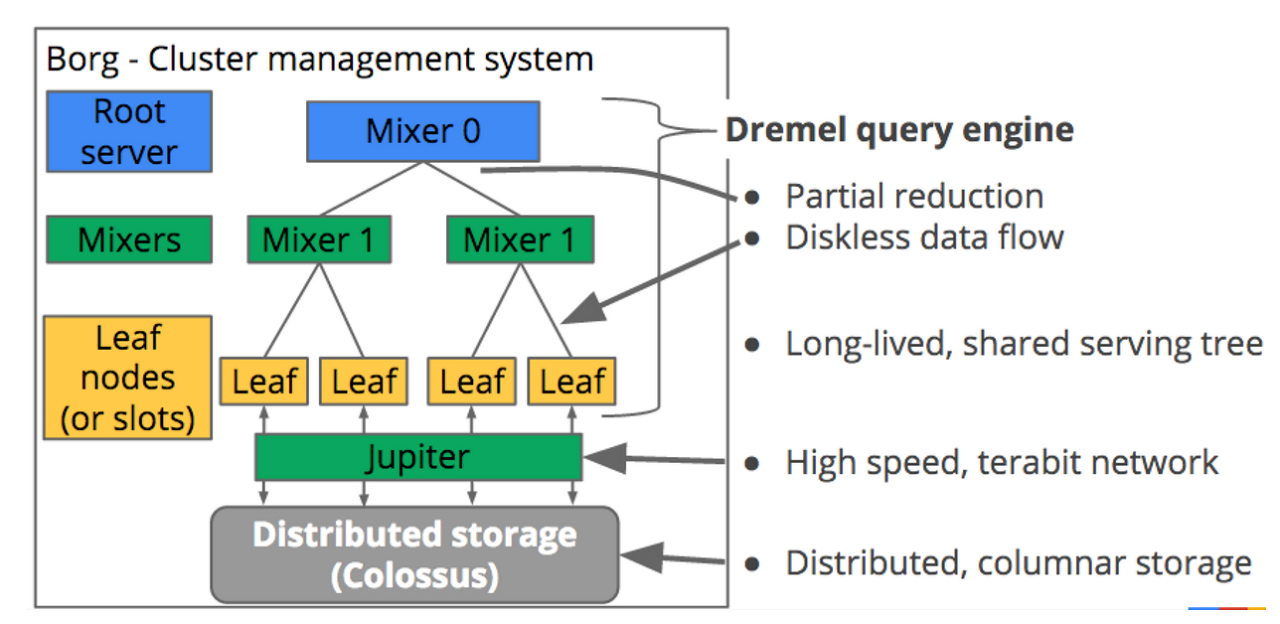
Colossus (Distributed Storage)
- Google’s cluster-level file system succeeding Google File System (GFS)
- Provides storage at the bottom layer
- Communicates with compute nodes through Jupiter, a TB-level network
Compute Layers (Leaf, Mixer1, Mixer0)
- Process data read from Colossus without disks
- Each layer passes data up to the layer above
- High-speed computation through distributed parallel processing
No Key, No Index
No concept of keys and indexes. Full scan only
Features
- No need for index management
- Performance achieved through column-based scanning
- Optimized for large-scale data analysis
No Update, Delete
Only additions are allowed for performance, and once data is entered, it cannot be modified or deleted.
If data is entered incorrectly, the table must be deleted and recreated.
Constraints
- Only INSERT supported
- UPDATE/DELETE not supported
- Requires recreation when modifying data
Eventual Consistency
Data is replicated to 3 data centers, so it may not be immediately available for querying after writing.
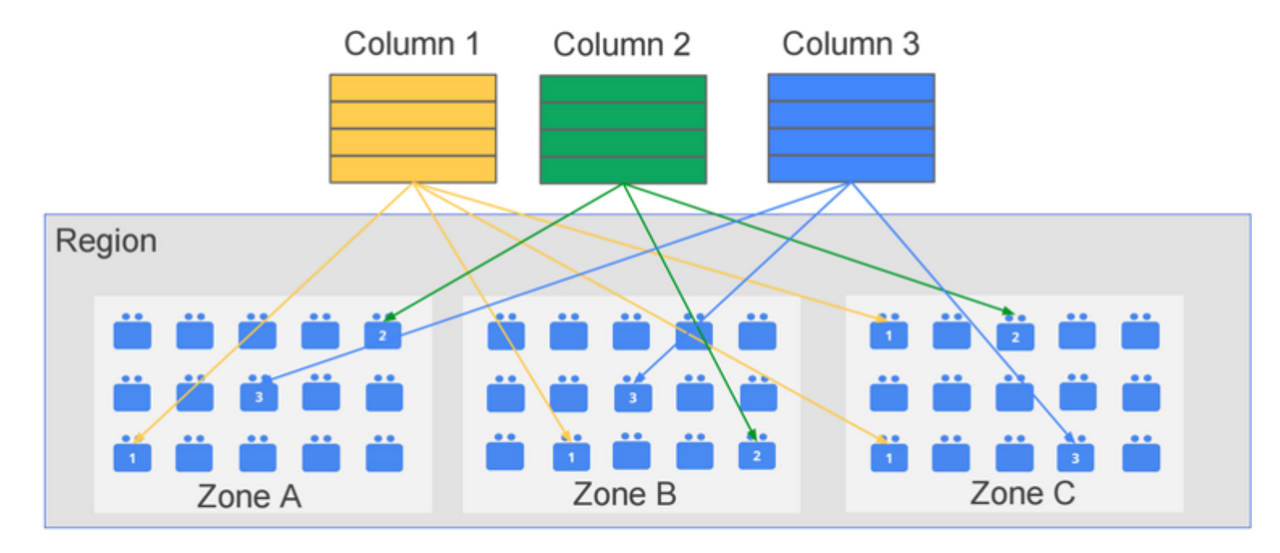
Features
- High availability through triple replication
- Eventual consistency guarantee
- Reads may not be immediately available after writes